
Watch the video for working groups members
Watch the video for working groups chairs
Accessing Bond groups
How can I find groups?
When logged in, you will see your “Activity Feed” and the groups you are a member of will be listed under “My Groups,” in the sidebar menu on the left. The “All Bond Groups” page is also accessible through the sidebar menu.
How can I join groups?
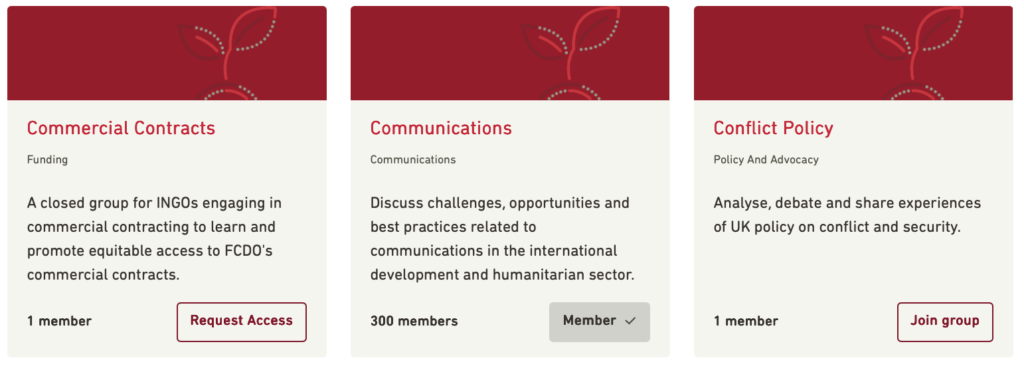
On the “All Bond Groups” page, you’ll see one of three boxes displayed under each group:
- “Member” with a tick, which means you are already a member
- “Request access”, which means there are certain criteria you have to meet to be part of the group
and “Join group”, which will give you instant access.
Interacting with other members
How can I see other members of the group?
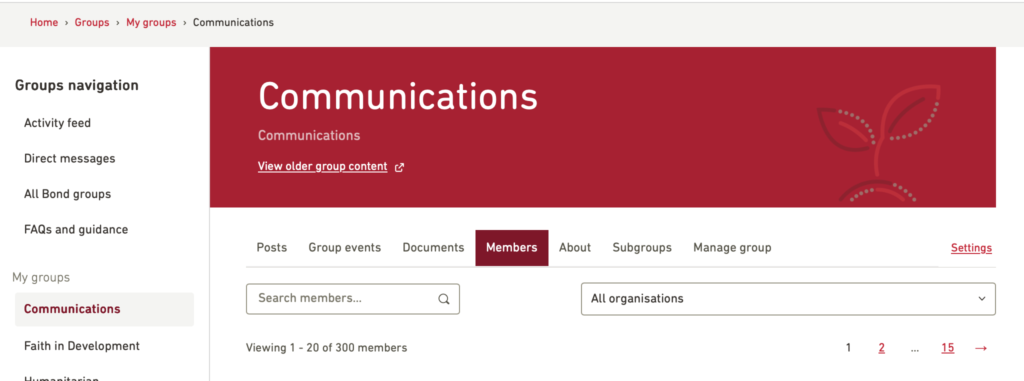
Navigate to the group page and click the “Members” tab beneath the heading banner. A list of group members will be listed below. You can also search for individual members by name or organisation.
How can I contact a member of the group?
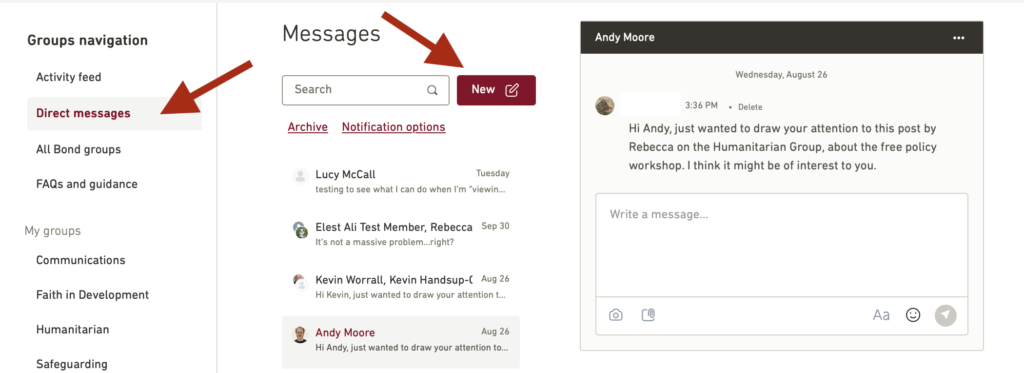
While in the “Members” tab, you’ll see a “message” button next to each member listed, allowing you to direct message them. Alternatively, you can go to “Direct messages” in the Groups navigation menu on the left-hand side, click “New message” and type in the name of the member you want to send a direct message to.
Posting content
How can I post in a group?
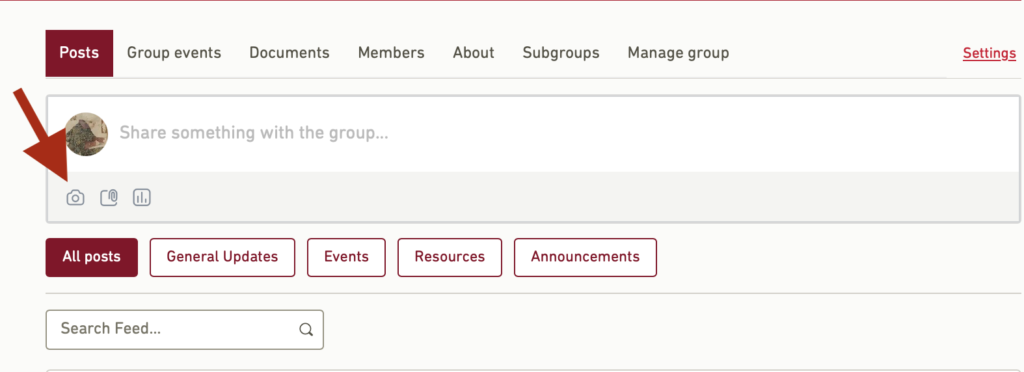
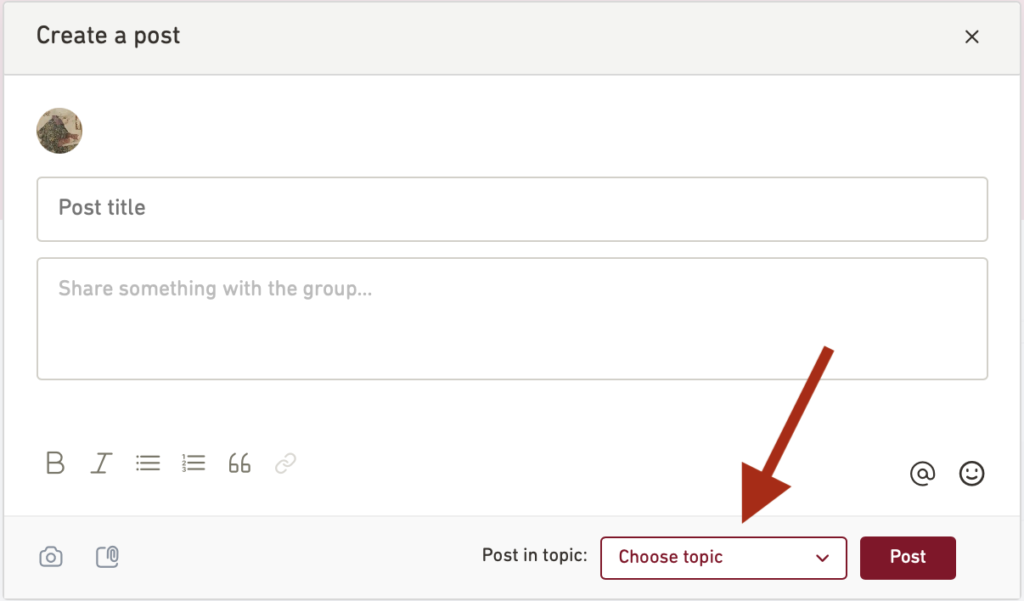
To share a post in a group, click on “Posts” in the top bar, click in the text box and enter your message. You will need to give the post a title, and you can format the post with the options beneath the box (e.g. bold, italic, bullet points, hyperlinks).
To add an image or a document to your post, click the corresponding icon below the text box and follow the prompts. If you upload an attachment as a document, it will also be added to the group’s “Documents” section, so please ensure the file name is clear.
You can tag other members by typing @ followed by their name. Add emojis by clicking the smiley face in the bottom right corner.
Select a topic for your post, from the “Select a topic to post in” drop-down below the text box, such as “Event” or “General”, and then click “Post”.
If you are an Admin or Chair of a group, you can also share polls. Click the corresponding icon below the text box and complete all prompts in the poll wizard. Before you post your poll, you will need to select a poll duration.
What can I post?
Post anything you think might be of interest or importance to the specific group, such as updates, events (if they are free), and any interesting articles or pieces of research. Also feel free to ask any questions you might have – we want to strengthen shared learning. When posting, you can specify a topic for your post. There’s more about this in the “How can I post in a group” section below.
What not to post?
To avoid a conflict of interest with Bond training and events programmes, we don’t allow the promotion of other training courses or paid events on the groups pages. Jobs can only be posted if they are also advertised on our jobs board.
If you are unsure, please contact us at [email protected] and we can help you out.
How can I comment on a post?
You can like or comment on a post by clicking the corresponding button under the post. Posts you’ve liked or commented on will appear in your activity feed, which will allow you to follow further activity related to them.
Searching group’s content
How can I search groups?
Your “Activity feed” will show you all recent posts on the groups you are a member of. You can also navigate between your groups on the left-hand sidebar under the “My groups” heading. You can search all groups on the Bond groups page through the search bar at the top. To search the content of a group, use the “Search feed” bar just above the post feed.
Can I search all groups?
If you are not a member of a group, you will not be able to see the contents.
How can I view group documents?
You can view documents that have been uploaded to a group by clicking the “Documents” tab above the “Share a post” text box.